Sell from a phone or a tablet.
Your counter fits in a pocket. Open tickets, apply a discount, take cash or card, print the receipt or email it — and keep selling when the internet drops. Inventory, staff, reports and loyalty come with it.
- 46
- Capabilities
- Everything below ships in the same account
- 6
- Areas
- Till, stock, staff, numbers, loyalty, kitchen
- 5
- Apps
- Install only what the shift needs
- 4
- Device types
- iPhone · iPad · Android phone · Android tablet
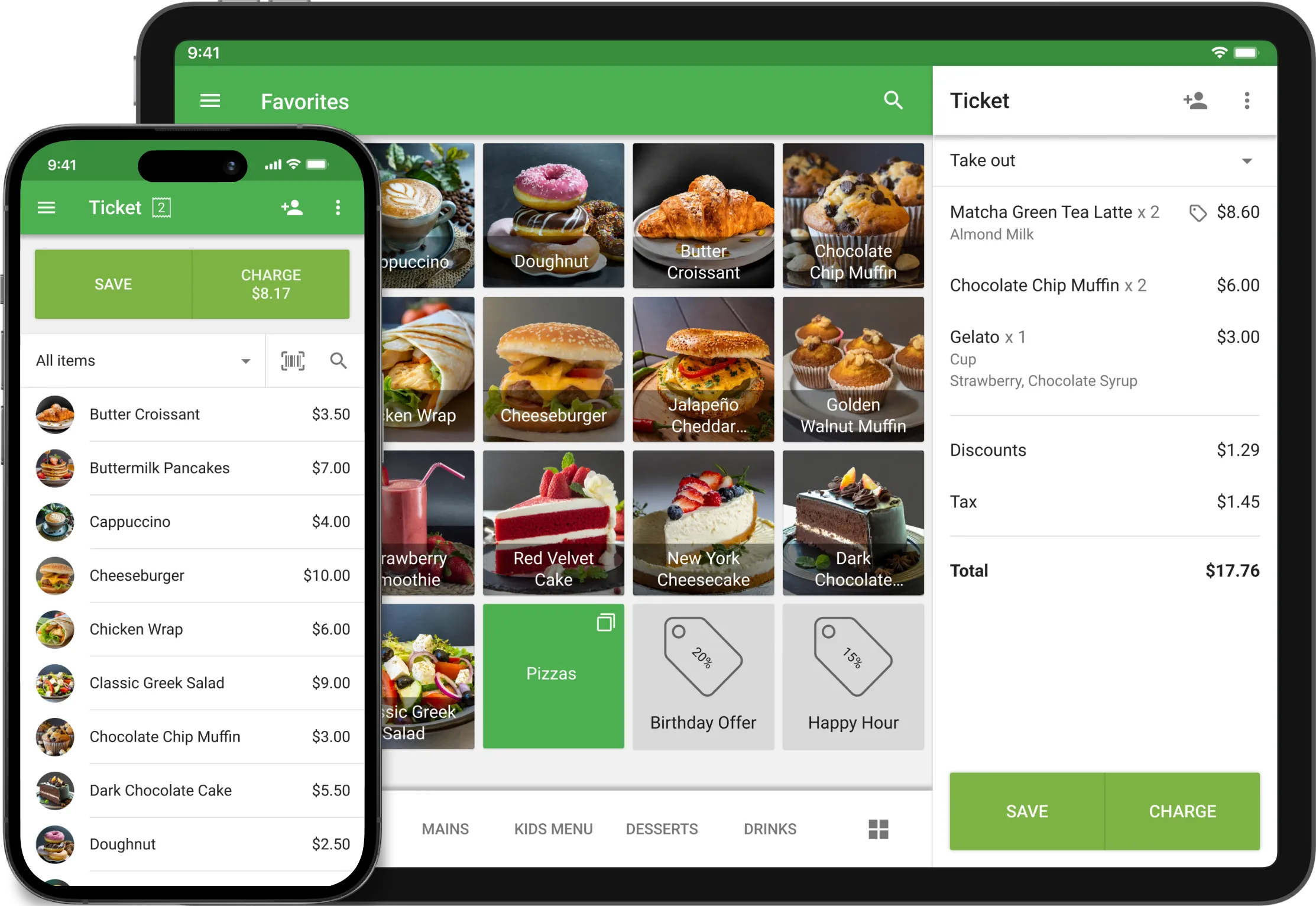
Sell from a smartphone or tablet
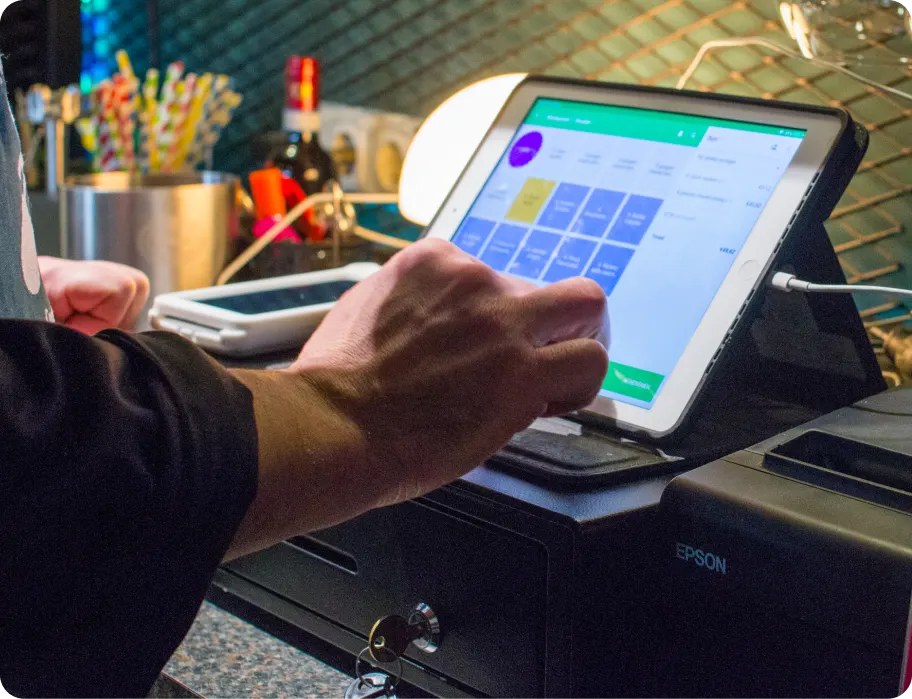
Yammbo POS works on iPhone, iPad, Android smartphone and tablet. The counter goes wherever the sale happens.
- Multiple locations
- Manage multiple stores under one account. Track your sales, inventory, employees and customers — everything you need to know in one place.
- Printed or electronic receipts
- Give the receipt to customers in the way they prefer: printed, or sent to an email.
- Multiple payment methods
- Whether it is cash or card, integrated or not, or any combination of them — you will have a choice.
- Open tickets
- Create, save and edit orders. Customers can pay when it is convenient.
- Discounts
- Apply discounts to the receipt or to specific items.
- Refunds
- Refund the selected item, or all items on the receipt.
- Item variants
- Condense the list of items, simplifying their creation and management. Useful when products come in multiple versions, like different sizes or colors.
- Item modifiers
- Modify orders easily. Choose add-ons to dishes, or how they are prepared, in one click.
- Cash management
- Track cash movement to reduce mistakes and staff manipulation.
- Work offline
- Make sales with weak or unstable internet. All data is synced automatically once the connection is restored.
- Weight barcodes
- Add items to a sale by scanning barcodes with embedded weight.
- Easy scanning
- Scan barcodes on items during a sale with the built-in rear camera of your mobile device.
- Hardware
- Supported hardware: receipt printer (Ethernet or Bluetooth), barcode scanner (Bluetooth or USB) and cash drawer.
- Customer display
- Show order information to your customers on a separate digital display, at the same time as the sale.
- Dark theme
- Use the dark theme in a low ambient light environment to reduce eyestrain.
Know what you have before the customer asks
Stock, purchases, transfers and counts — tracked down to the ingredient.
- Import items
- Quickly add thousands of items using CSV spreadsheets.
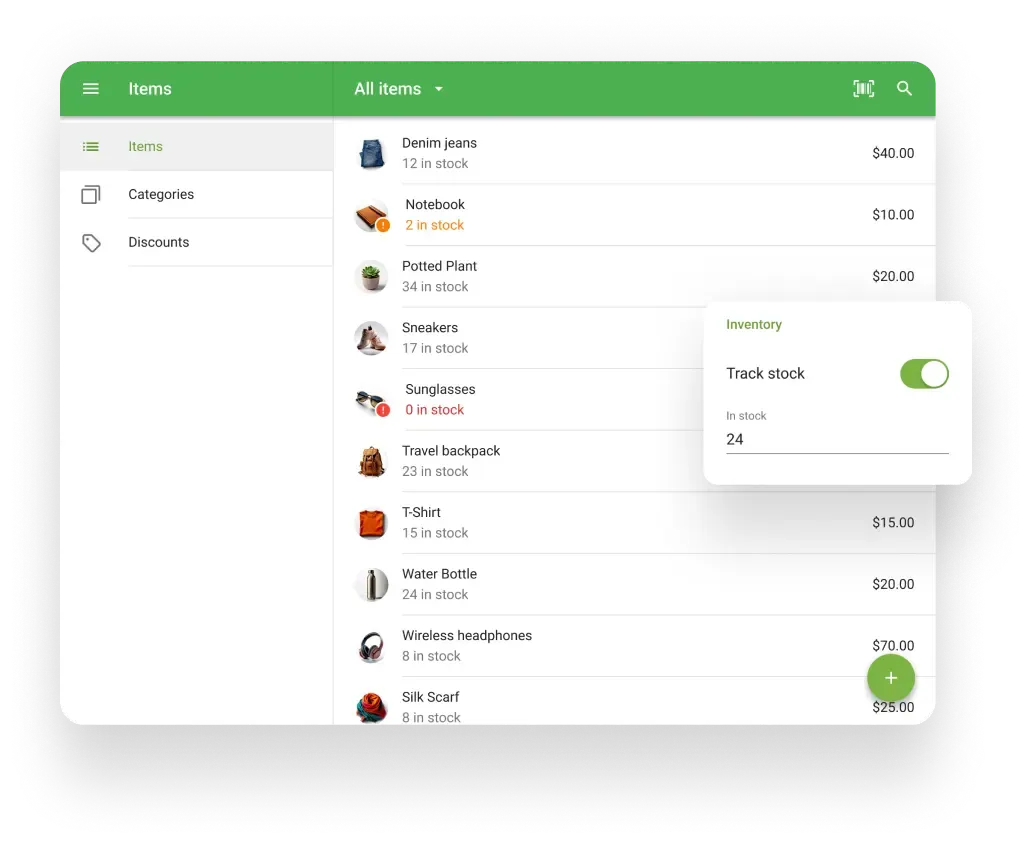
- Track inventory
- Track the stock of products and of their components.
- Low stock notifications
- Receive daily notifications about low stock, to make the necessary item orders in time.
- Purchase orders
- Plan purchases, export records to suppliers, track stock receipts and manage vendor relationships.
- Transfer orders
- Create transfer orders and move stock between your stores.
- Stock adjustments
- Increase and decrease stock levels for received items, damages and loss.
- Inventory counts
- Perform full or partial stocktakes, with a barcode scanner or by hand.
- Production
- Track the stock of items produced out of ingredients.
- Label printing
- Print barcode labels to add items effortlessly to sales, purchase orders or inventory counts.
- Inventory history
- Gain insight into the flow of your inventory by reviewing the adjustment log.
- Inventory valuation report
- See a report on the cost and the potential profit of your inventory.
See who sold what, and when
Performance, access rights and hours, without a second system to keep.
- Sales by employee
- Track each employee performance and take informed business decisions.
- Smart management
- Information on the workload per hour allows for efficient management of your staff.
- Access rights
- Manage access to sensitive information and functions.
- Time clock
- Employees clock in and out, and the system calculates their total hours.
The numbers, without the spreadsheet night
Trends, best sellers, shifts and tax — ready by the time you close.
- Sales trend
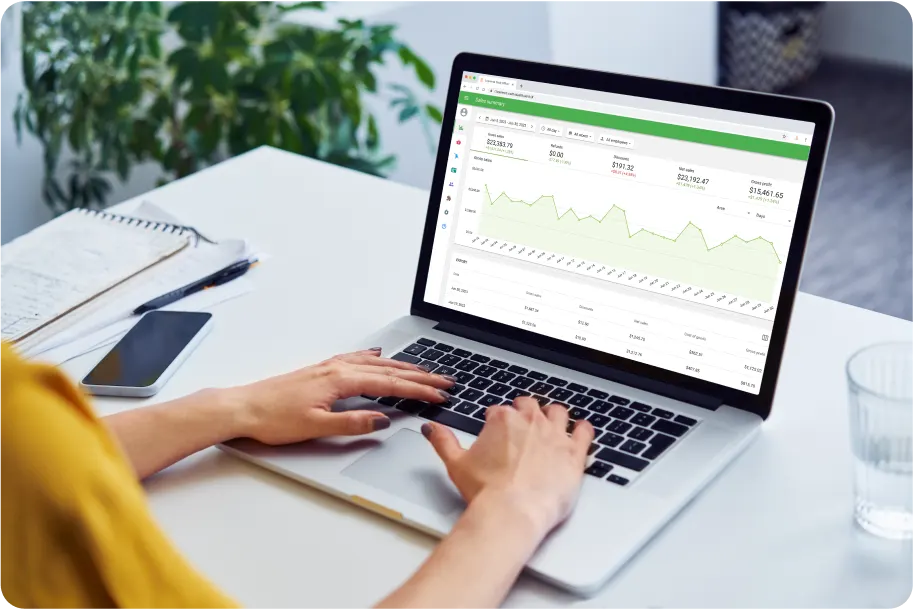
- Track sales growth or decline against the previous day, week or month, and react to changes promptly.
- Popular items
- Sales by item shows which ones sell best, so the right purchasing decisions can be made.
- Shifts
- Identify a cash shortfall at the end of a shift, and track employee inaccuracy or manipulation.
- Receipts history
- Reviewing receipt history lets you monitor every transaction: sales, refunds and discounts.
- Tax report
- Browse reports on the tax amount to be paid, and save the time of calculating it.
- Reports export
- Export sales data to spreadsheets for detailed analysis.
Remember the regulars
A customer base that earns points, and a history worth acting on.
- Customer base
- Analyze the number of visits and the purchase amount per customer, to identify the most loyal ones.
- Points reward program
- Motivate customers to come back by awarding them bonus points.
- Purchase history
- View customer purchase history to give personalized service.
- Loyalty cards
- Identify customers instantly during a sale by scanning loyalty card barcodes.
- Customer address
- Print the customer address on the receipt to streamline delivery orders.
- Notes
- Take notes about customers to remember their preferences.
Built for a kitchen that is already busy
Tickets reach the pass without anyone shouting them across the room.
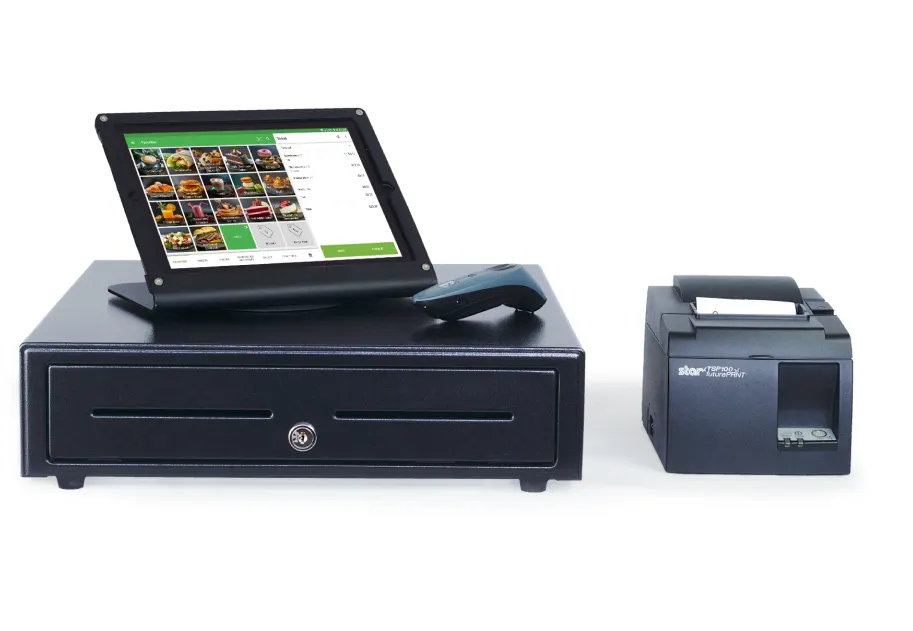
- Kitchen printers
- Use kitchen printers at a cafe or restaurant to tell the cooking staff what to prepare from an order.
- Kitchen display system
- Orders reach the kitchen automatically, faster and with fewer errors. Less paper, less mess.
- Dining options
- Note whether customers are dining in, taking their order out, or asking for delivery.
- Predefined tickets
- Assign names to open tickets quickly — Table 1, Table 2, and so on.
Your customers order from the sofa
The same catalogue behind the till becomes a storefront with its own address. Two of them are open right now — have a look before you decide.
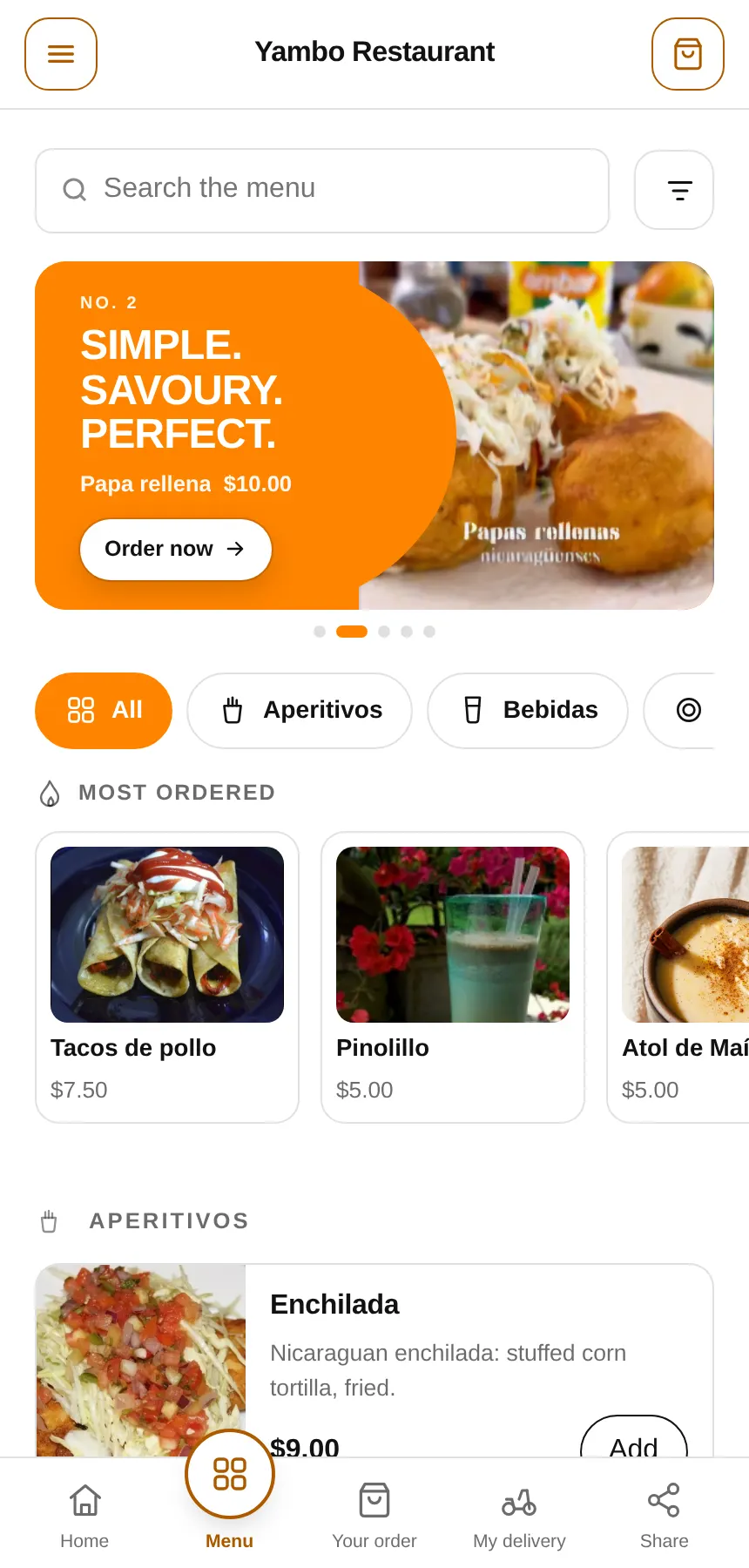
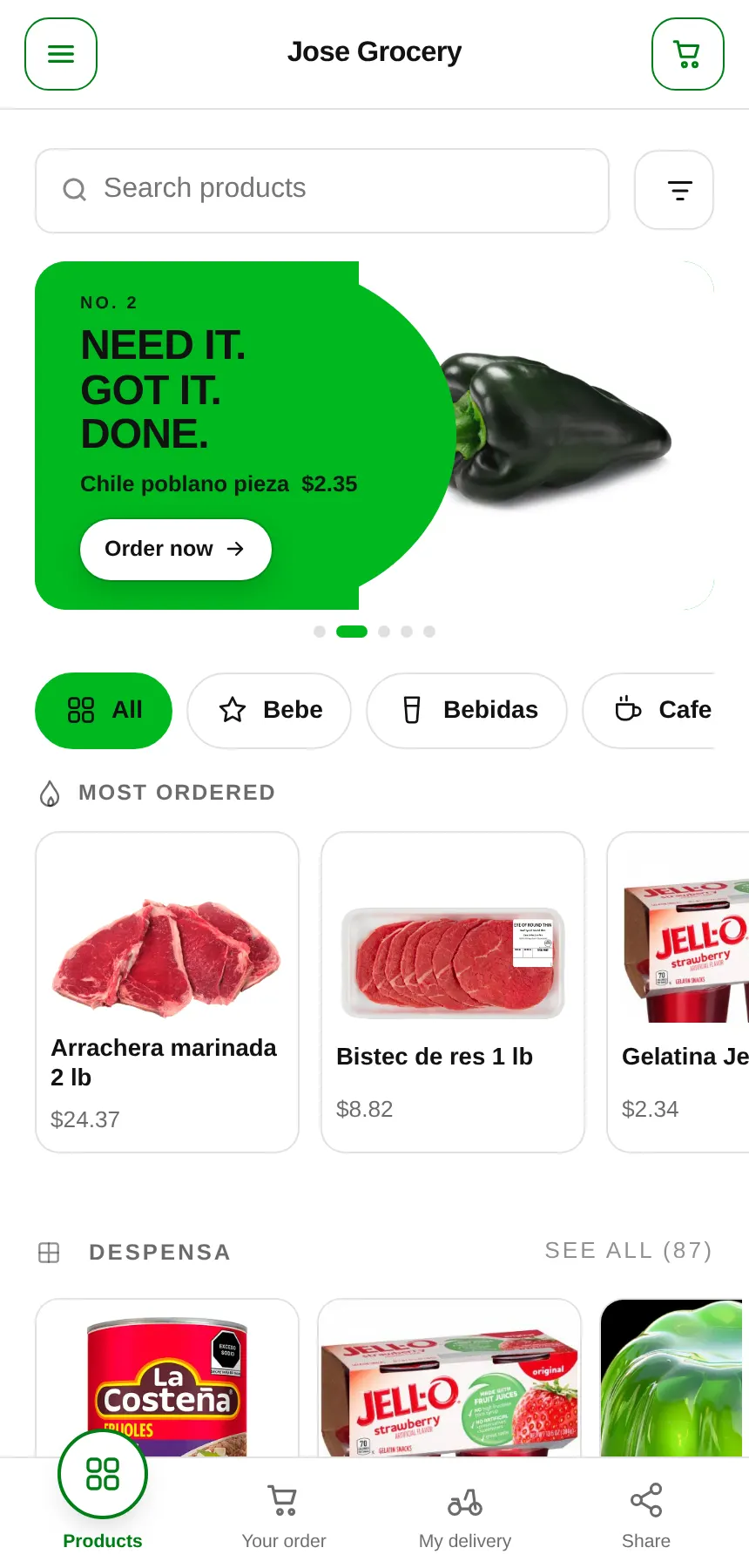
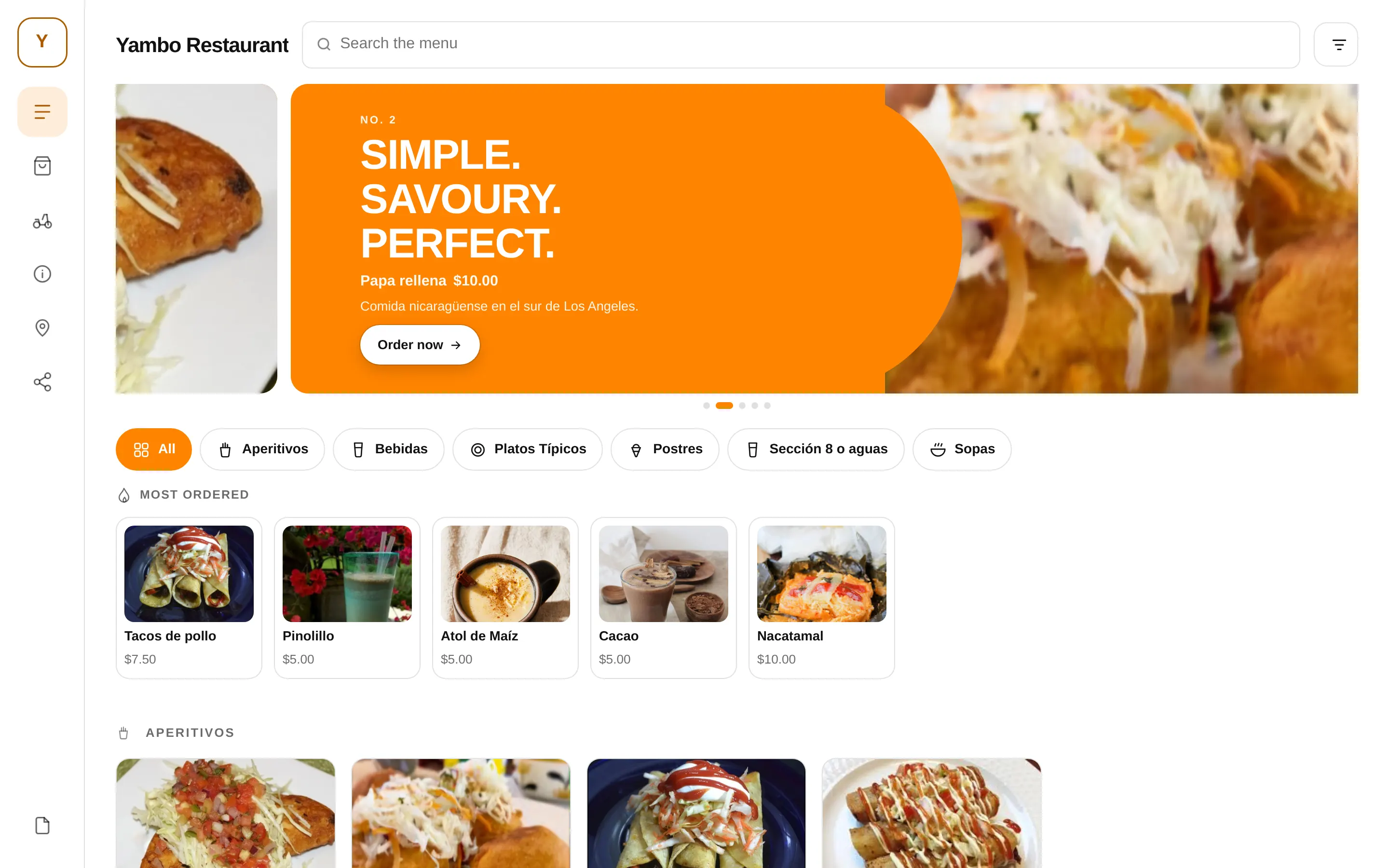
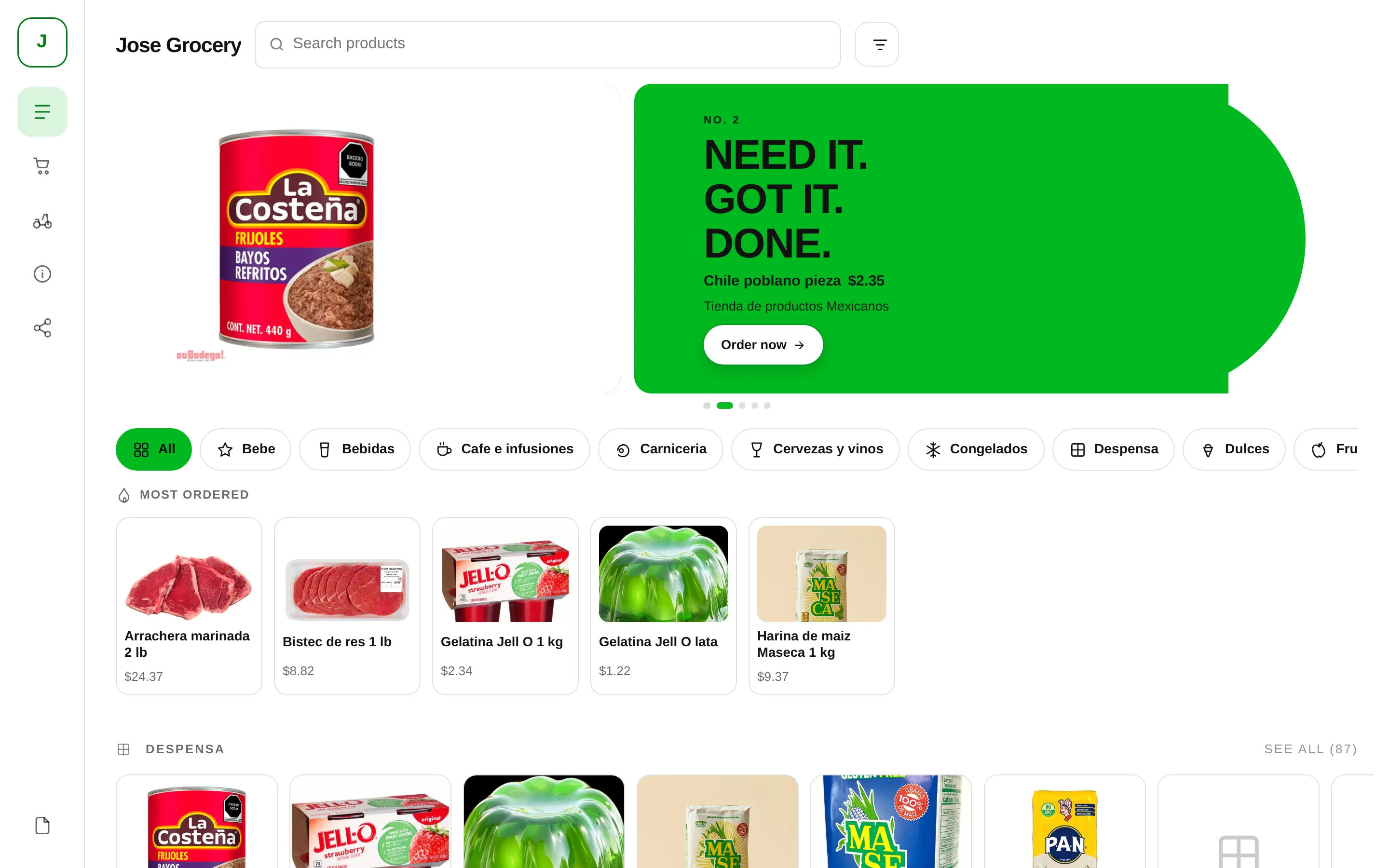
- Your own ordering page
- Every store gets its own address — pos.yammbo.com/your-store — with your name, your logo and your menu.
- No app to install
- The customer opens a link and orders. Nothing to download, nothing to sign up for.
- Cart and checkout
- They browse by category, search the menu, sort by price and build their order before paying.
- Online payments
- Charge the order on the spot, so the food is already paid for when it leaves.
- Delivery on order
- When the order comes in, delivery is arranged for it — the customer follows it from the same screen.
- Two languages
- The whole storefront works in Spanish and English; the customer picks.
- Installs like an app
- Regulars can add it to the home screen and come back with one tap.
The part nobody wants to do by hand
Telling the customer, arranging the delivery, issuing the invoice, answering the message that arrives at eleven at night.
- Text and email alerts
- The customer is told their order is in and when it is on the way, by text message and by email.
- Invoice and printing
- The invoice is issued and the ticket prints, without anyone retyping the order.
- Answers on WhatsApp, Instagram and Messenger
- Questions that arrive on your social channels are answered automatically, around the clock.
- Posts to social on its own
- Connected accounts publish on their own, so the storefront is not the only thing working for you.
- One panel for everything
- Orders, menu, stock and reports live in the same place — pos.yammbo.com/panel.
Five apps. One account.
Install what the shift needs. The till on the counter, the dashboard in your pocket, the kitchen screen at the pass — all reading the same data.
- Yammbo POS
- The till itself: items, tickets, payments and receipts.
- iPhone · iPad · Android
- Back office
- Items, stock, employees and settings, from any browser.
- Web
- Dashboard
- Today’s sales in your pocket, without opening the till.
- iPhone · Android
- Kitchen display
- Orders on a screen at the pass, instead of paper tickets.
- Tablet
- Customer display
- A second screen facing the customer during the sale.
- Tablet
The questions we always get.
What owners ask before they ring up the first sale.
What devices does it run on? +
iPhone, iPad, Android smartphone and Android tablet. Start on the phone in your pocket and move to a tablet on a stand when the queue makes you want one — it is the same account either way.
Does it work without internet? +
Yes. You can keep making sales on a weak or unstable connection, and everything syncs automatically once the connection is restored.
Can I run more than one store from the same account? +
Yes. Manage multiple stores under one account and track sales, inventory, employees and customers for all of them in one place.
What hardware do I need? +
None to begin with — the app alone takes the sale. When you want them: a receipt printer (Ethernet or Bluetooth), a barcode scanner (Bluetooth or USB) and a cash drawer. You can also scan barcodes with the rear camera of your device instead of buying a scanner.
How do customers pay? +
Cash or card, integrated or not, or any combination of them. You choose how each sale is settled.
Can I send the receipt by email? +
Yes. Give the receipt the way the customer prefers: printed, or sent to an email address.
How do orders reach the kitchen? +
Two ways. A kitchen printer tells the cooking staff what to prepare, or the kitchen display puts the orders on a screen at the pass — faster, fewer errors and less paper.
Can I track stock of things I make from ingredients? +
Yes. Track the stock of products and of their components, and track items produced out of ingredients. Low stock notifications arrive daily, so you order in time.
Can I see how each employee is doing? +
Yes. Sales by employee, workload per hour, a time clock that totals their hours, and access rights so not everyone sees everything.
Is there a loyalty program? +
Yes. Customers earn bonus points on purchases, you can scan loyalty cards to identify them at the till, and you keep their purchase history and notes about their preferences.
Can I import the products I already have? +
Yes. Add thousands of items at once from a CSV spreadsheet, so you are not typing your menu in by hand.
Can I get my data out? +
Yes. Export sales reports to spreadsheets for detailed analysis whenever you want them.
Ring up the first sale today.
Start on the phone you already carry. Add the drawer, the printer and the scanner when the queue makes you want them.